

IntelliToggle
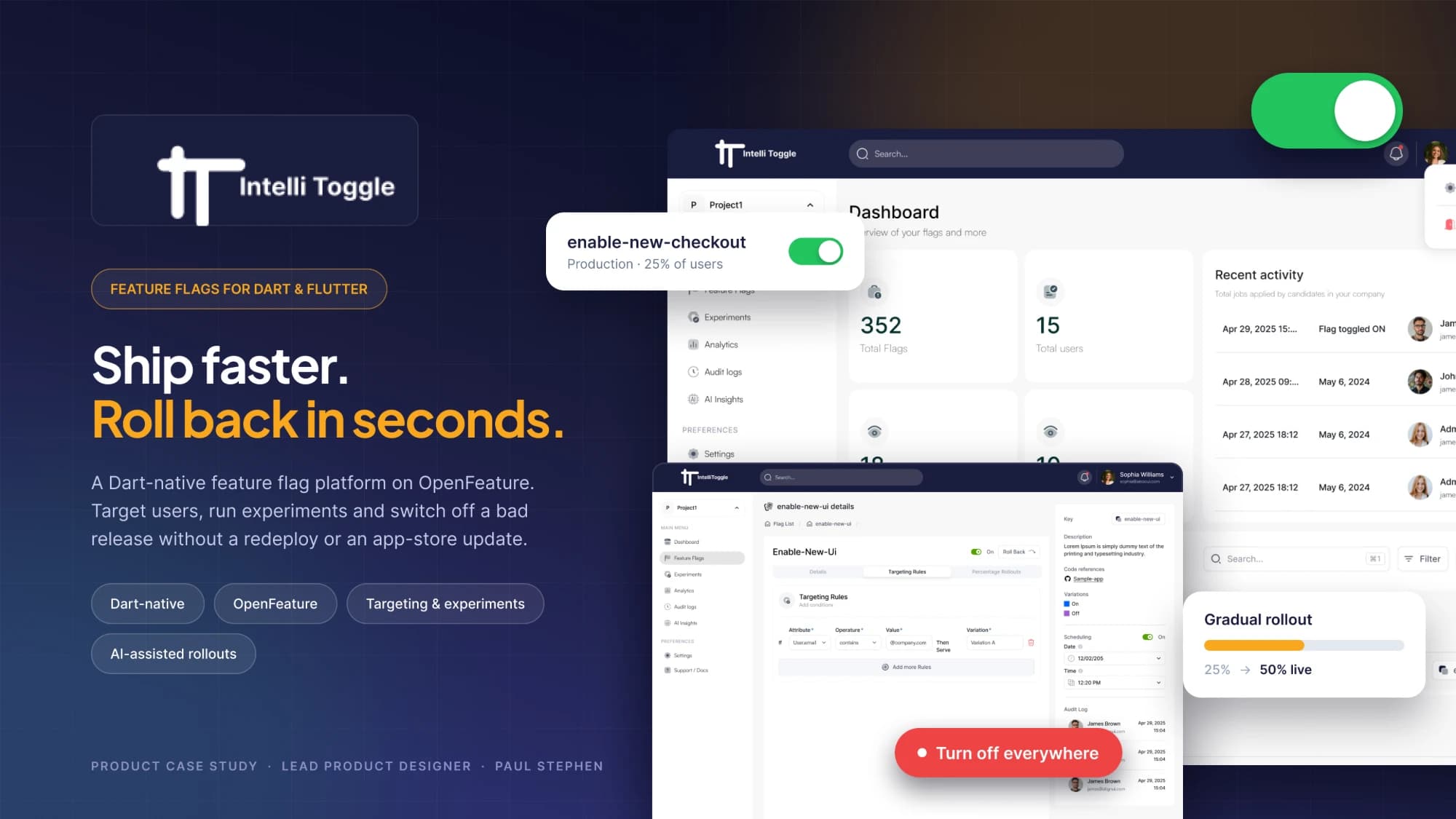
A Dart-native feature flag platform built on OpenFeature. Teams switch features on or off, target users or regions, and roll back in seconds, without a redeploy or an app-store update.
- Lead Product Designer, Aortem
- Web dashboard, Dart and Flutter SDKs
- Figma, FigJam
Context & problem.
One vendor-neutral API covers Dart servers, Flutter apps and the web, managed from a single dashboard. Because it is built on OpenFeature, teams are not locked in, and client apps never hold long-lived credentials.
Flutter teams ship through app stores, so every change is slow to release and slower to undo. A bad release can sit on users' phones for days. Most flag tools were built for JavaScript and Java first; Dart support arrives late, thin or community-maintained.
How might we give Dart and Flutter teams a feature flag tool that feels native to their stack, so releasing a feature is a decision, not a deployment?
Who it’s for.
Flutter and Dart developers, engineering leads, and product managers who need to target an audience without engineering help.
Goals.
Make releases reversible
- Switch any feature off in seconds, with no redeploy or store update
- Make the kill switch the most findable action on every flag
- Show who a flag is serving right now, before anyone changes it
Make the first flag effortless
- Pair every dashboard step with the exact Dart snippet it needs
- Remove setup decisions a new team does not need yet
Make rollouts safe by default
- Gradual percentage rollouts, user and region targeting, experiments
- Separate development, staging and production
- An audit trail of who changed what, and when
Structure & flow.
- Projects
- Development · Staging · Production
- Flags
- Overview · Targeting · Rollout · Variants · History · Code
- Segments
- Audiences reused across flags
- SDK & Keys
- Server provider · Client provider (OFREP) · Credentials
- AI Assist (planned)
- AutoFlag · SmartRamp · ExplainFlags · AutoSegment
- Sign up
- Create project
- Choose platform
- Copy install snippet
- Create first flag
- See it evaluate
- Add targeting
- Ramp rollout
- Monitor
- Kill switch if needed
Designing for AI: The information architecture reserves an AI Assist area for planned features (AutoFlag, SmartRamp, ExplainFlags and AutoSegment), so AI-assisted releases can arrive without restructuring the product.
Design decisions.
Make the kill switch unmistakable
- A toggle reads as a setting, not as an emergency control.
- A labelled “Turn off everywhere” control in the flag header, with the environment beside it and a confirmation step for production only.
Show reach, not just rules
- Targeting rules can be correct and still unreadable: nobody can tell who is affected.
- A plain-language summary (“On for 25% of users in Nigeria and the UK”) with a live audience estimate above the rule builder.
End onboarding in proof
- After setup, a developer cannot tell whether the SDK is connected.
- A waiting state that turns green the moment the app first evaluates the flag.
The solution.
Flag dashboard
Status per environment, last change, owner, and a stale-flag badge for clean-up.
Flag detail
Status, reach and the kill switch in one header strip; targeting, rollout, variants, history and code below.
Targeting builder
Rules read as sentences and segments are reusable, so a PM can target an audience without engineering help.
Gradual rollout
A percentage slider with staged steps, a live audience count and instant rollback.
What I learned.
Proof beats reassurance.
A visible “flag evaluated” moment says more to a developer than any onboarding copy.
Emergency actions need their own language.
If a safety control looks like a preference, it will be treated like one.
Plain language widens the room.
Readable targeting lets product managers act, so engineers stop being the bottleneck.
Dart Cloud Functions